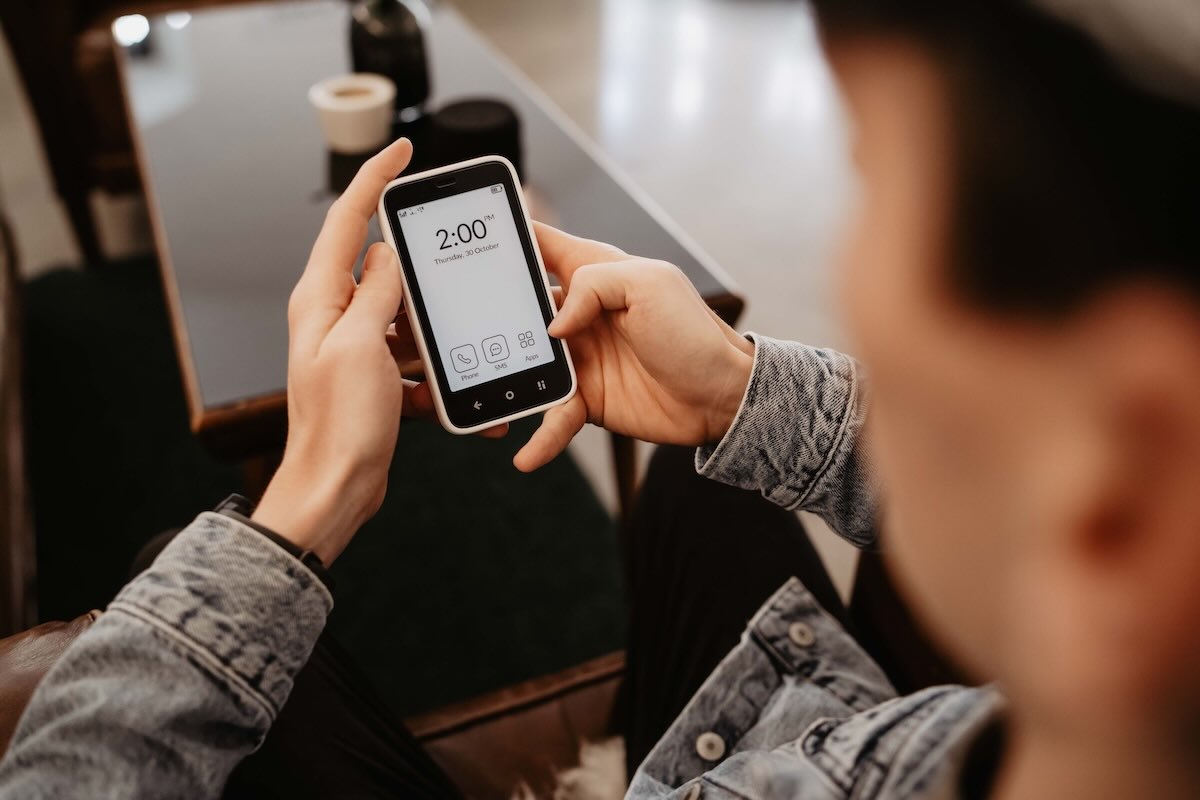
If you're comparing Bloom vs Brick, you're probably trying to answer one question: which one will actually help me scroll less?
I own and have used both. I bought Brick in 2024 and used it for over a year before switching to Bloom in the fall of 2025. Both devices effectively help keep my screen time below the 2-hour mark. Without them, it easily climbs to 3+ hours.
So yes. They both work. The real difference is how they are designed and how that design shapes your behavior.
Let's break it down.
In this post
- What Bloom and Brick Have in Common
- Physical Design: Cube vs Card
- Portability: Fixed vs Movable
- Unlock Philosophy: Strict vs Flexible
- Pricing and the No-Subscription Advantage
- NFC Reliability
- Do They Actually Reduce Screen Time?
- Which One Do I Personally Use?
- Bloom vs Brick: Which Should You Choose?
What Bloom and Brick Have in Common
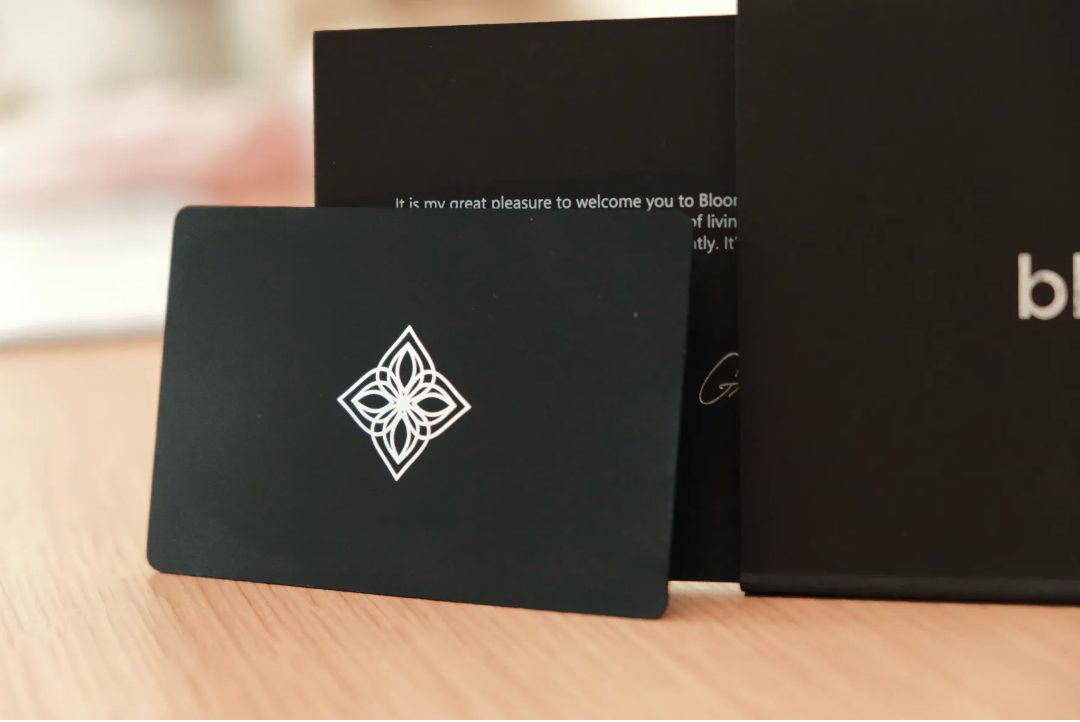
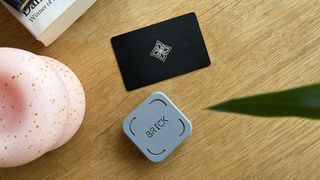
Bloom and Brick are both physical NFC-based phone blockers. Brick uses a small magnetic cube, while Bloom uses a stainless steel card, but both act as real-world keys that lock and unlock distracting apps.
They share more similarities than differences. Both:
-
block apps AND websites.
-
create schedules (lock apps at a specific time of the day)
-
work on iOS and Android.
-
ship internationally from the United States.
-
support multiple phones with a single physical device.
-
include a Strict Mode that prevents deleting the app or bypassing it through system settings.
-
offer a 30-day return policy.
And neither device requires charging. NFC tags do not have a battery and work without power.
At their core, both devices solve the same problem: digital blockers fail because they are too easy to override. A physical key changes that dynamic.
Good to know: Both Bloom and Brick will give you 10% off your purchase when you use code WHATIFIDIDNT.
Physical Design: Cube vs Card
The first obvious difference between Bloom and Brick is the object itself.
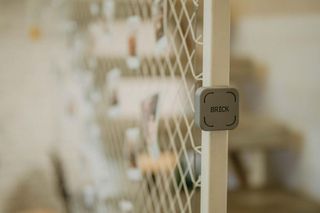
Brick is a small plastic cube with a magnet built-in. It is light, simple, and looks more like a small tool than a piece of consumer tech.
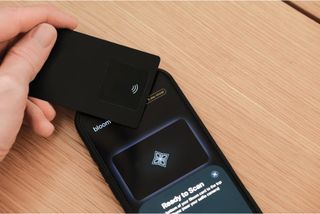
Bloom uses a thick stainless steel card. It looks cleaner and more polished, and heavier than Brick.
Neither design is inherently better. They just feel different in the hand. Brick feels lightweight and utilitarian. Bloom has a more premium feel to it.
Portability: Fixed vs Movable
The next practical difference is how each device fits into daily life.
Brick is designed to stay in one place. Because it is magnetic, most people will stick it somewhere permanent, like a fridge, metal shelf, or filing cabinet.
Bloom is heavier and thicker than a credit card, so you probably will not want it in your wallet. But because it's flat, it will take very little space in a bag, a glove box, or a drawer.
Ultimately, you will probably use both Bloom and Brick the same way: they work best when you keep them somewhere intentional, not somewhere that is always within reach.
Unlock Philosophy: Strict vs Flexible
Where Bloom and Brick really diverge is in how they handle temporary access.
Brick is strict. When your phone is Bricked, it stays locked until you scan the cube. Emergency unbricks exist, but they are limited to five over the entire lifetime of the device—though you can contact Brick to get get more.
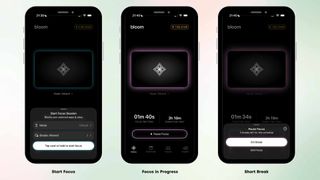
Bloom allows three five-minute breaks per focus session. These do not require the physical card. After five minutes, the apps lock again automatically.
This changes the experience during workdays. If you need to respond to a message or check something briefly, Bloom gives you limited access. Brick forces a physical unlock every time.
I found Bloom's break system more practical for work use. And I found Brick stronger for complete lockout periods.
Pricing and the No-Subscription Advantage
Brick costs $59 for the physical cube. Bloom costs $39 for the stainless steel card.
The price difference is noticeable but not dramatic. In practice, what matters more is that both are one-time purchases with no subscription fees.
That sets them apart from tools like Unpluq, which uses an NFC tag but pushes subscription tiers, Opal, which is app-only and subscription-based, or Wisephone, which requires buying an entirely separate phone.
With Bloom and Brick, you pay once and own the system.
For many people, that simplicity matters more than the $20 price gap.
NFC Reliability
Brick works immediately when you tap your phone against the cube. It does not really matter where you tap. It registers quickly, and the interaction is simple and hard to mess up.
Bloom works too, but it is more particular.
You need to place the side of the card with the NFC chip near the top of the phone, roughly around the selfie camera. Even then, it does not always register on the first try. Sometimes you have to tilt it slightly or try again before your phone picks it up.
The best comparison is a contactless terminal that does not immediately recognize your watch or phone. It usually works, but not always instantly.
So yes, Bloom works. It just takes a little more precision and, occasionally, a little more patience.
That is more of an inconvenience than a dealbreaker. You could even argue the added friction is a benefit, since it makes casual unlocking slightly less appealing.
Still, Brick feels smoother and more seamless. It is not a reason to avoid Bloom, but it is one of the few practical areas where Brick clearly feels more polished.
Do They Actually Reduce Screen Time?
Yes. Both of them work.
Without some kind of physical blocker in the mix, my screen time tends to drift upward fast. It is easy to justify checking one thing, then another, and before long I am back above the 3-hour mark.
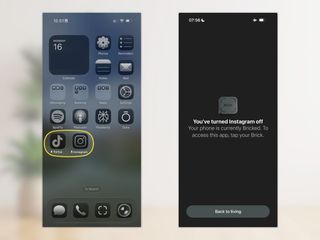
Both Brick and Bloom interrupt that pattern because they force a pause between the impulse and the action. You cannot just tap Instagram, TikTok, or YouTube and be in. You have to either get up and find the device or consciously use one of the available unlock options.
That extra step is the whole point. It breaks the automatic behavior that makes phones hard to control in the first place.
In my case, both devices reliably keep me under two hours a day. That is the main reason I take them seriously. They do what most digital-only blockers fail to do: they make distraction inconvenient in the moment you are most likely to give in.
So if your main question is whether either of these actually changes behavior, the answer is yes. The bigger question is not whether they work. It is which style of friction fits your life better.
Which One Do I Personally Use?
You're probably wondering which one I actually use day to day.
I owned Brick for about a year before getting Bloom. Brick worked extremely well for me. It forced hard boundaries and removed negotiation.
Since getting Bloom, I've mostly switched to using the Bloom card as my default setup because of the three five-minute breaks. They let me reply to friends, post something on social media for work, or check one message without opening the floodgates. I can access what I need and then the phone locks again automatically. That structure fits how I use my phone now.
I still keep Brick. When I want complete lockout, like on a weekend or during a deep project sprint, I switch back to it. If I want zero negotiation and something closer to fully disconnecting, Brick is stronger.
Right now, Bloom is my daily driver. Brick is my deep-focus tool.
Get 10% Off in both stores
Bloom and Brick have both agreed to give readers of this blog 10% off their products. Just use code WHATIFIDIDNT at checkout in either store.
Bloom vs Brick: Which Should You Choose?
If you're unsure whether to choose Bloom or Brick, it comes down to whether you need structured flexibility or total lockout. I've used both extensively. Bloom fits my daily workflow better. Brick wins when I want to disappear from distractions completely.
If your goal is simply to scroll less and regain control, both will do the job. The choice is about how strict you want your boundaries to be.
For deeper dives, you can read my full review of each product: